



This might actually turn out to be the year of personal AI agents. Last week, Meta introduced Muse, an AI agent that reads your email, books your travel, and buys things for you. Earlier this year, an open-source agent originally called Clawdbot, but since renamed to OpenClaw, became one of the most popular software projects in history. Its rival Hermes, from Nous Research, gathered nearly a quarter-million stars of its own. Microsoft and Google are reportedly building agents too. And, of course, you may have heard that we recently released new.space for Mac, which, as it happens, focuses heavily on helping you get things done simply and privately with AI.
As all of us here at new.space have learned for ourselves, using AI agents can be a real time saver. I find them especially useful for doing tasks that I would otherwise end up procrastinating. For example, I have new.space triage my email a few times a day. That involves doing things like making calendar events on my calendar for things like doctor’s appointments I receive over email and then archiving the email, moving spam that snuck through in my work email account into the Junk folder, reminding me to follow up on personal emails that I haven’t replied to yet, and many other things.
All of that power comes with a lot of responsibility, though. An AI agent that has access to your email knows a lot about you. The same is true when you grant an agent access to your calendar, contacts, or web browser. How do these different companies treat your private data? Can you trust them? Can you trust us?
Meta’s Muse
Muse is the most carefully engineered of the bunch. It lives on a dedicated computer in Meta’s cloud, watched by a separate “Sentinel” program that approves everything it does online. The AI agent never sees your real passwords or payment details, and purchases go through single-use cards. There’s a public bug bounty that pays up to $300,000.
But Meta’s own security write-up is candid about who can read your data:
It restricts access to your data by Meta personnel through operational policies. It does not prevent Meta from accessing data when necessary to support, secure or operate the service.
A version encrypted with a key only you hold, “Muse Confidential VM,” is promised for later this year.
Unfortunately, training is on by default. That means that everything Muse does for you or learns about you could be used to train their models. They claim to scrub identifying details first, which is, as far as I can tell, true of all of the big AI companies, but “identifying details” is a tough thing to define. Also, Meta admits your Muse activity can influence the ads you see because the websites your agent visits count as your visits.
OpenClaw and Hermes
OpenClaw and Hermes run on your own machine, which means your agent’s memory doesn’t sit in a company’s cloud. However, what happens to everything it sends to the AI model depends on how you connect it.
OpenClaw and Hermes can use your ChatGPT subscription. OpenClaw and Hermes can use your Claude subscription through an existing Claude Code login, while connecting with an Anthropic API key uses separate, pay-as-you-go billing (warning: this can get expensive!). Either way, when you connect OpenClaw or Hermes to your ChatGPT or Claude accounts, you’re under consumer terms, which means everything OpenAI or Anthropic learns about you can, by default, be used to train their models.
If you don’t connect OpenClaw or Hermes to your ChatGPT or Claude account, but, instead, use API keys, you get much better terms. Data sent to OpenAI’s API “is not used to train or improve OpenAI models.” Anthropic “may not train models on Customer Content from Services.” Google is the odd one: on a paid account your prompts aren’t used to improve their products, but on the free tier they may be. Google’s own terms say it best: “Do not submit sensitive, confidential, or personal information to the Unpaid Services.”
And if you run Ollama with a local AI model, your requests and the AI model’s responses never leave your machine at all: “We don’t see your prompts or data when you run locally.” When using their cloud models, they guarantee to process your “content transiently to provide the Service and this content is not stored beyond the time required to fulfill the request.” That means they do not train on your data.
new.space
Everything in new.space is end-to-end encrypted, which means we can’t (and don’t want to!) read your stuff. The agent runs on your Mac, you send it instructions or questions from any new.space client, and the AI agent’s actions, answers, or research are saved in your spaces, where they are readable only by you and the people you invite.
For the AI, you pick one of four options, and none of them trains on your data:
Local models in new.space run entirely on your device directly in new.space. We support local models like Qwen 3.5, Gemma 4, GPT-OSS, or Ministral. Turn on Airplane Mode and your Brainstorm keeps working.
Local models via Ollama or LM Studio also run entirely on your device inside of the Ollama or LM Studio apps. They support a wider range of local AI models than we do natively.
Your own API key goes straight from your device to OpenAI, Anthropic, Google, Ollama, or others. We never see your prompts or the responses.
new.space AI runs through our servers, but we don’t log or store your requests or responses. new.space AI gives you the benefit of using the latest models from the frontier AI labs without the hassle of setting up accounts or saving API keys.
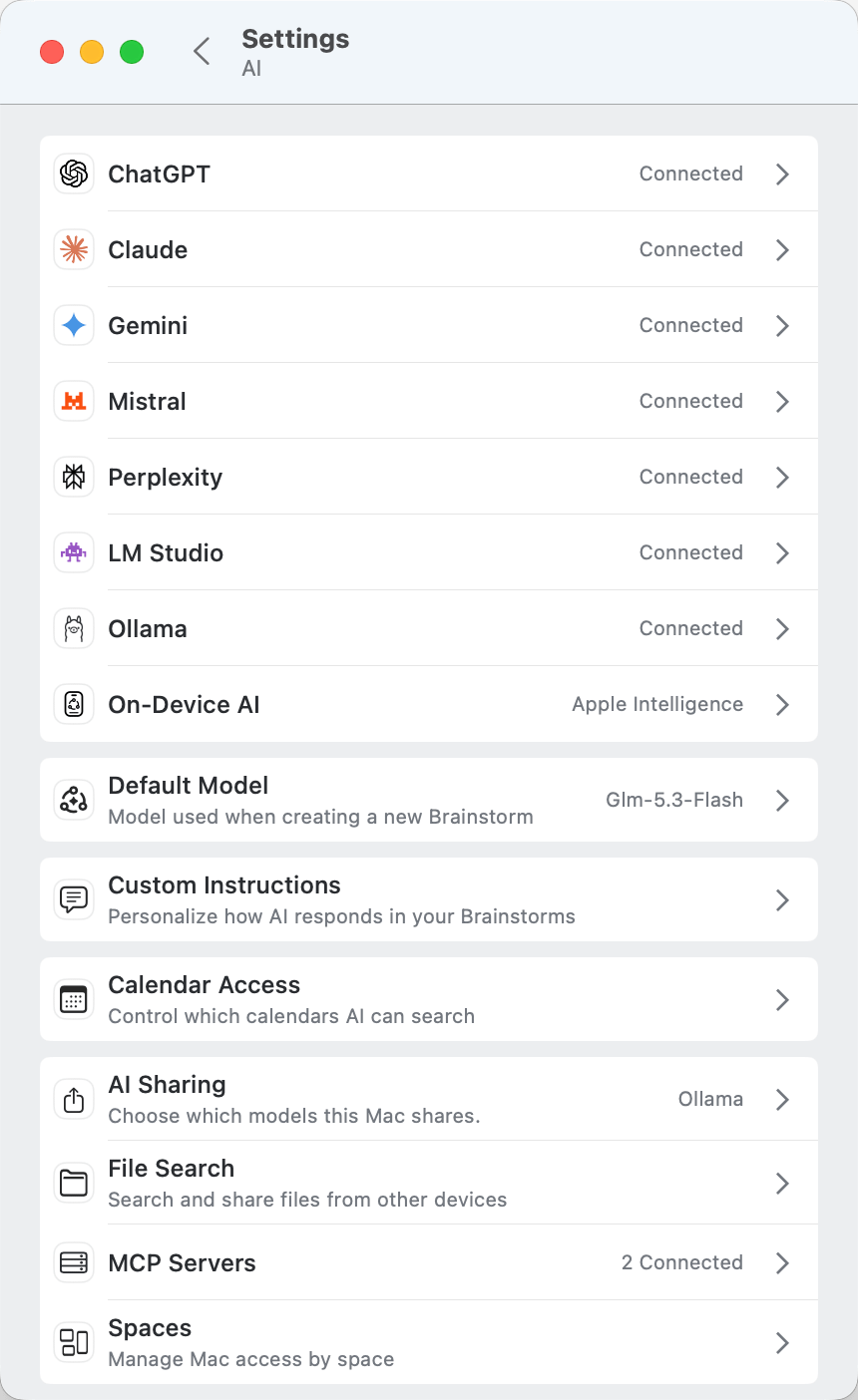
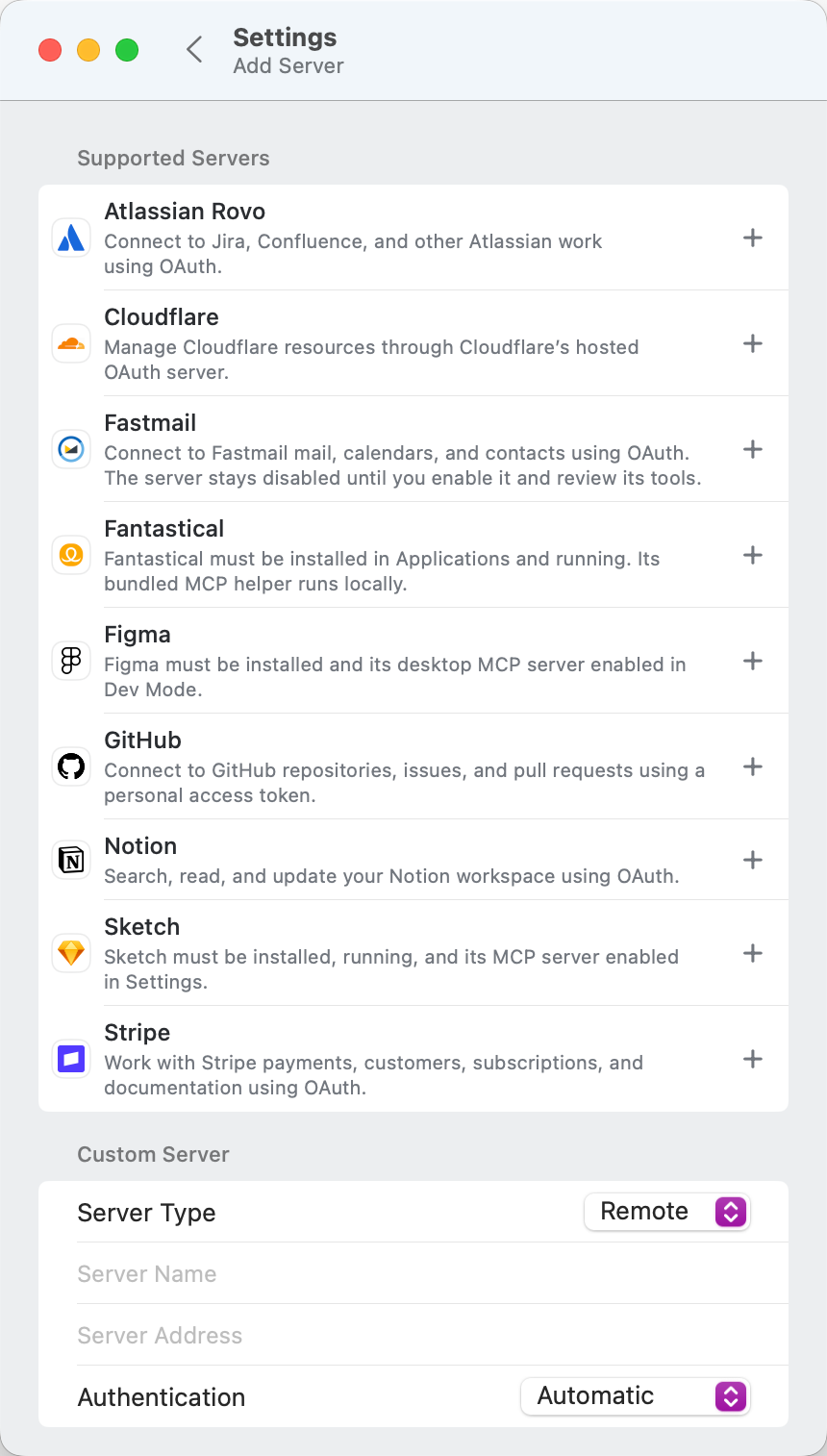
We think new.space is the easiest to use because it uses the tools you already use and love. Email runs through Apple Mail. Using our built-in tools, new.space can only draft emails in Apple Mail. It can’t send them, which means you won’t be surprised by an email going out under your name. Tasks go into Apple Reminders. Appointments go onto your Apple Calendar. If those tools are not enough, new.space has built-in MCP support for tools like Notion, Fastmail, Fantastical, GitHub, Jira, Confluence, and others. Every built-in tool asks permission before it makes a change. You can approve, deny, or request changes from your Mac or your iPhone. And when you share a space with someone else, you can decide if they also get access to none of your tools and models, some of them, or all of them. Collaborate with other people, or just work on your own.
Give new.space a try
The new.space Mac app is available to download today. It works great with new.space on iOS or on the web,
We can’t wait to see what you do with a private AI powerhouse on your Mac. As always, hit reply or leave a comment.