


new.space started as a way to easily and privately share things with your family, friends, and coworkers. Since the beginning, we’ve made it easy for people to share without compromising their privacy. Everything shared into a space using new.space is end-to-end encrypted and completely inaccessible to anyone (including us!) who has not joined that space. We’re proud of our commitment to privacy, and we’re even prouder that our commitment to privacy hasn’t come at the cost of features or ease-of-use.
Of course, there have been many products created over the years to help people share. However, besides new.space, very few of them paid any attention to preserving the privacy of their customers. For a long time, this didn’t matter to most people because there wasn’t much these other products could do with their customers’ data. Their customers’ data didn’t have a lot of value to anyone else. So, even though everyone’s data was just sitting there clearly visible on these other companies’ servers, most of their customers were unbothered.
With the advent of AI, though, all of that changed. Now, high-quality, human-created data is incredibly valuable to...well...pretty much everyone. If a company has access to your data, at the very least, they’ll be strongly tempted to use it to help train AI models. At worst, they’ve been training on your data for the past few years.
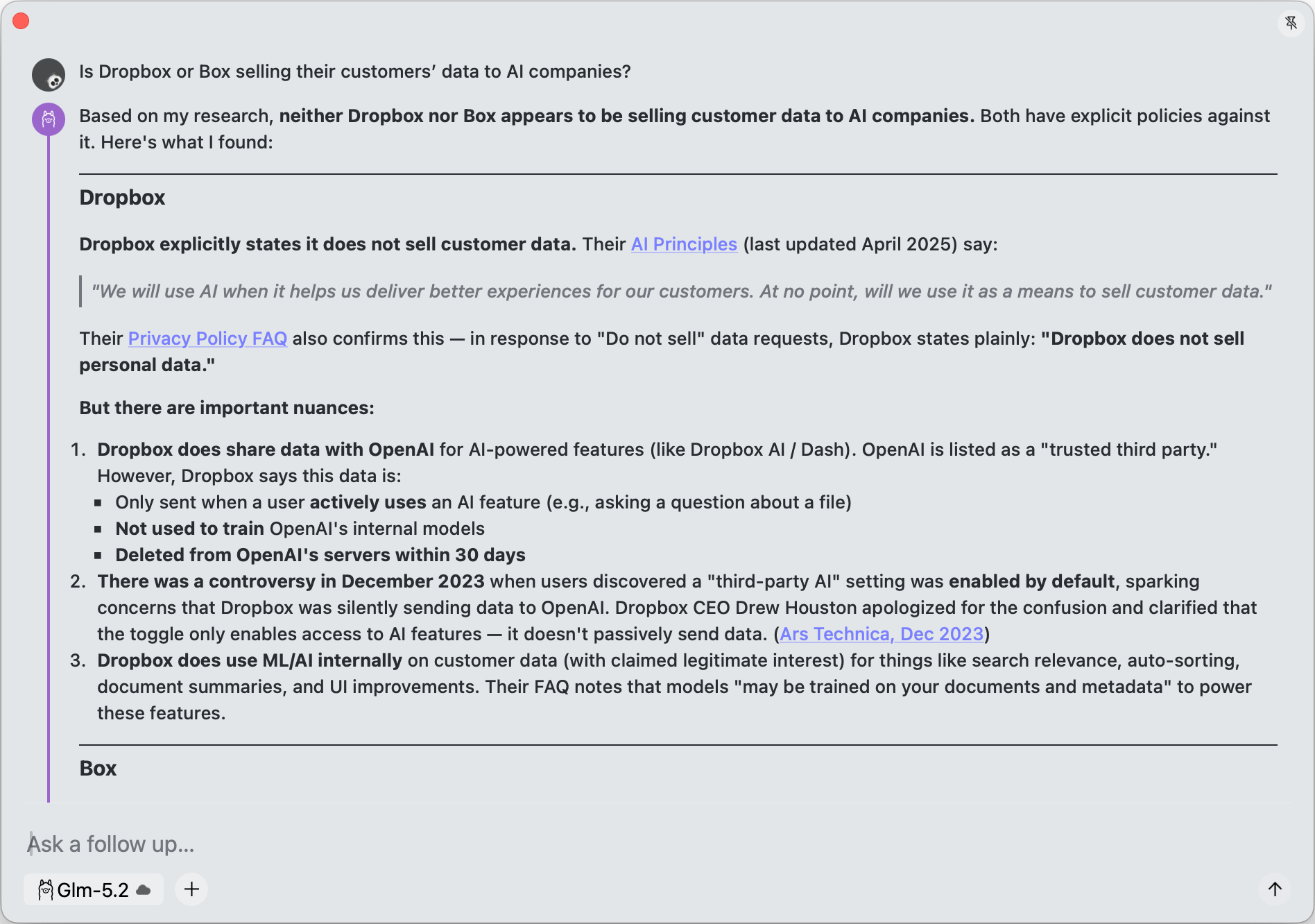
All companies are keen to cash in on the AI craze and what AI needs more than anything is data...So it is a skip and a hop to trying to use existing data for machine learning exercises under the guise of legitimate interest to improve service provision.
We may build models that identify keywords and topics from a given document. These models may be trained on your documents and metadata
We at new.space feel lucky that we’re not in that position. Before AI was anything other than science fiction, we designed our service to protect our customers’ privacy and to prevent anyone—including us—from accessing their data. Your files, your links, your notes, your conversations, your email, and your calendar shouldn’t be someone else’s training data.
All of that brings us to the news of the day: new.space is now available for Mac.
Your Mac is now your private AI powerhouse
Your Mac has something your phone doesn’t: memory, horsepower, and the ability to run serious models without breaking a sweat. So we put it to work.
With the new.space Mac app, you can call frontier models, local models, Ollama, and LM Studio from new.space on your iPhone or your Mac.
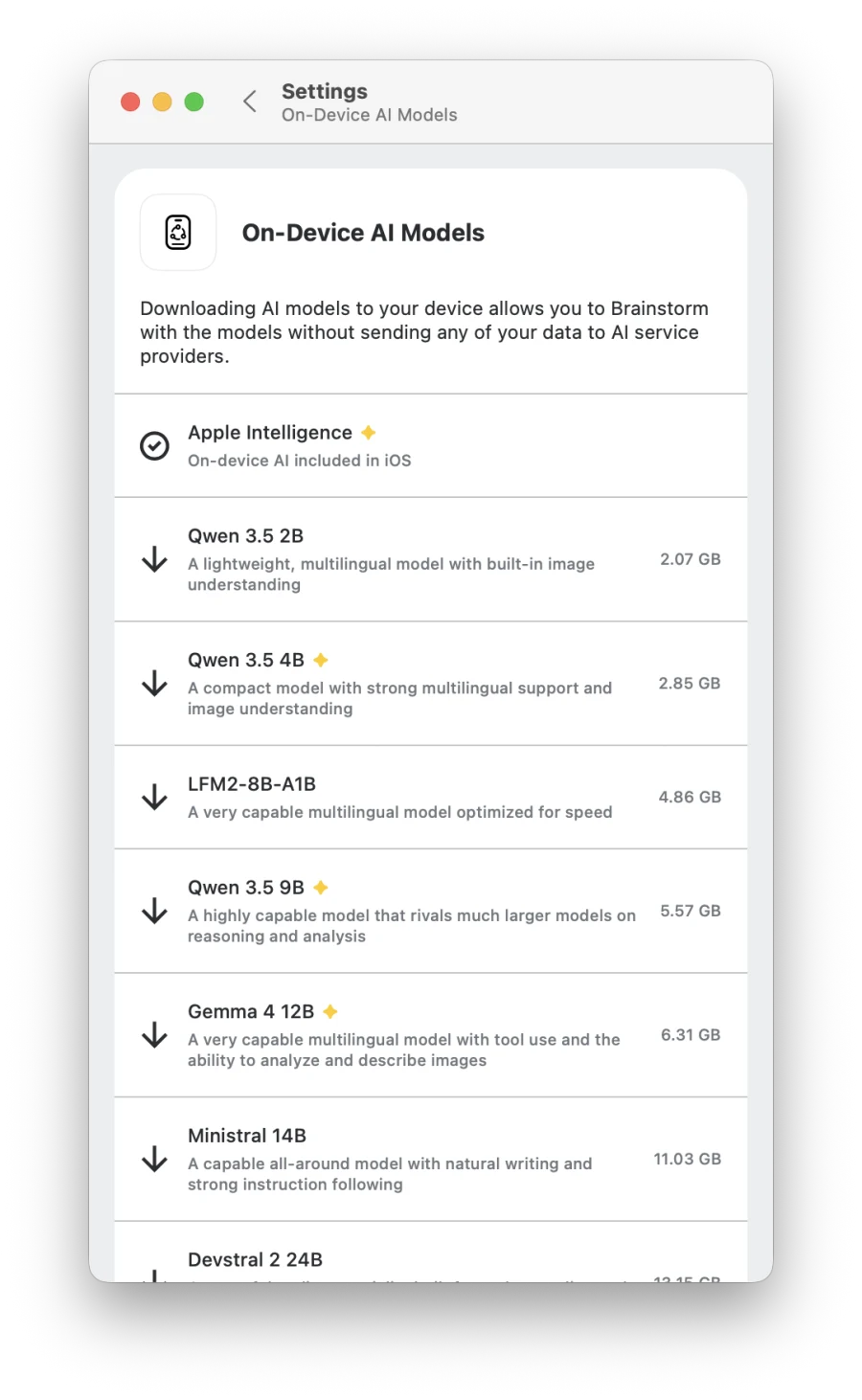
Three ways to use AI, all private
Local models: Run AI entirely on your Mac or iPhone via new.space, Ollama, or LM Studio. Free, unlimited, and your data only gets processed on your device. Turn on Airplane Mode and your Brainstorm keeps working.
Bring your own API key: Already have an OpenAI, Anthropic, Google Gemini, Mistral, or Perplexity API key? Use it directly. Requests go from your device straight to the provider.
new.space AI proxy: Don’t want to deal with API keys? Use our no-logging proxy to access frontier models like ChatGPT, Claude, Gemini, Mistral, or Perplexity. Free credits included; paid plans unlock more. We don’t log or persist anything, and our AI providers promise not to train on your data.
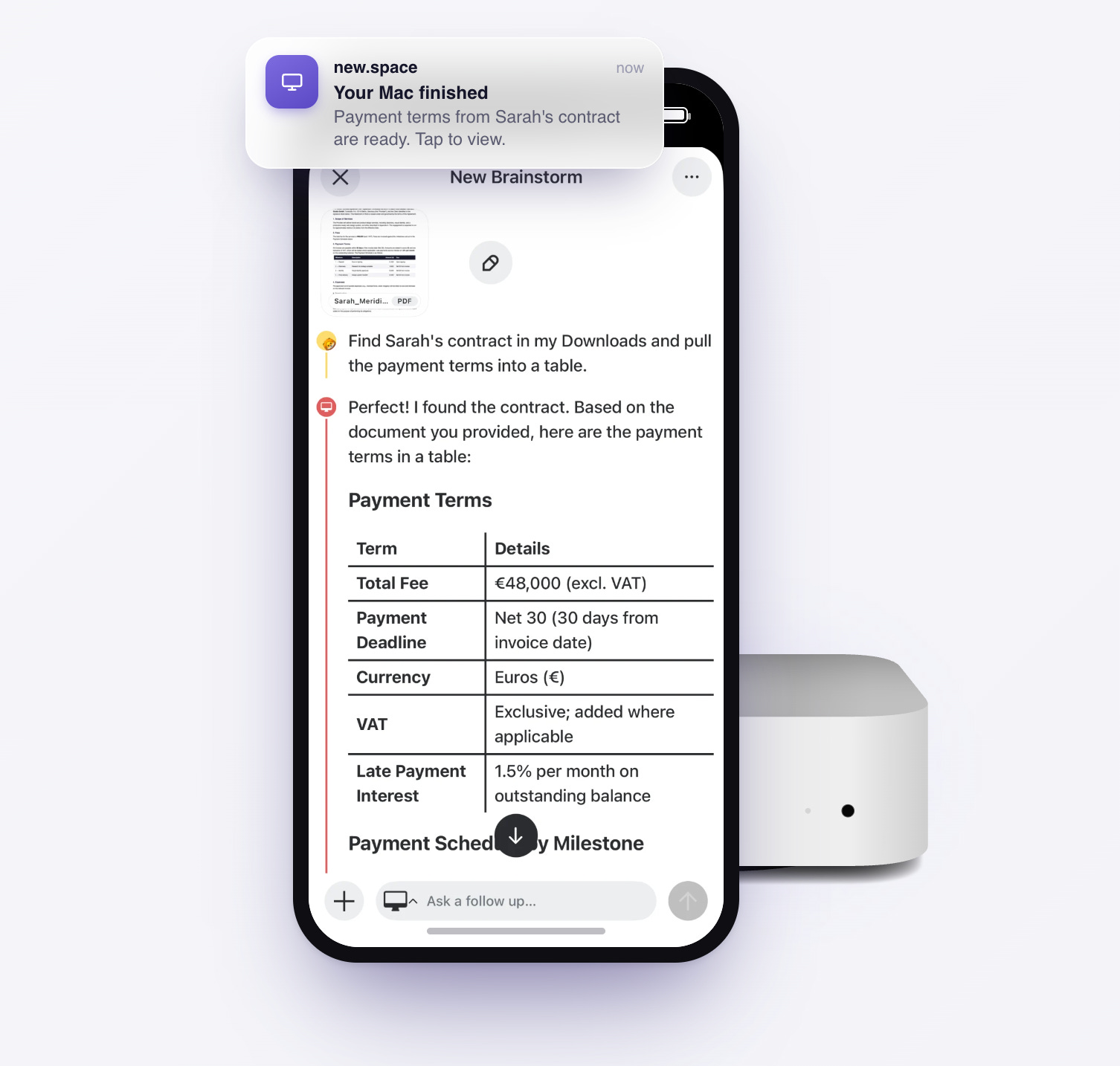
Control your Mac from your phone
Here’s where it gets really interesting. You don’t have to be sitting at your desk to use your Mac’s AI power.
Start a Brainstorm that targets your Mac, then talk to it from the new.space app on your phone or from any browser wherever you are. Your Mac does the heavy lifting at home, and you get the answers on the go. Of course, as with everything else on new.space, your Brainstorms are end-to-end encrypted.
Your life, in one place you can talk to
Your Mac is a lot more than just an AI machine, though. It connects to or, in many cases, manages your digital life. new.space for Mac was built to help you deal with that, too. Link your calendar, reminders, email, and files, and then just ask.
“What’s on my calendar tomorrow?”
“Compare the three PDFs in my Downloads and tell me which vendor is cheapest.”
“Did anyone email about the offsite? Draft a reply and add it to my calendar.”
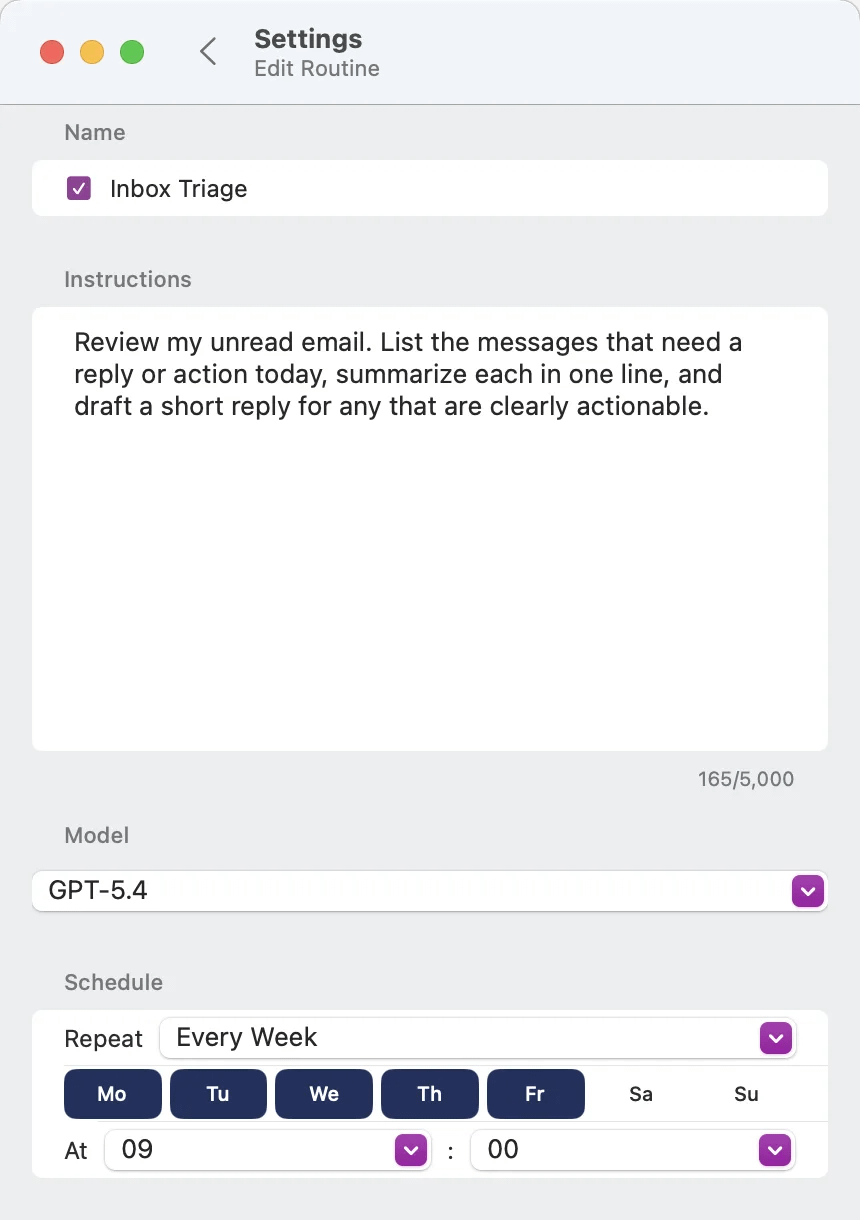
You can even set up Routines that run on a schedule you choose:
Every morning at 7, brief me on my day and anything urgent overnight.
Every Friday, review my inbox and summarize what still needs a reply.
Routines run on your Mac and post the answer as a new Brainstorm, which means the results are there waiting for you when you wake up or when the week wraps up.
Get started
The new.space Mac app is available to download today. If you already use new.space on iOS or the web, your spaces, Brainstorms, files, links, and everything else will be right there waiting for you.
We can’t wait to see what you do with a private AI powerhouse on your Mac. As always, hit reply or leave a comment.